 The Report Generator is a tool designed to export data in various formats for materials in the system. The key features include:
- Basic template
- Customizable templates
- Export options in various formats
- Formatted styled sheets
- Access controls
Two tabs are available to export data.
- Basic mode
- Advance mode
Basic mode | Advanced mode |
|
|
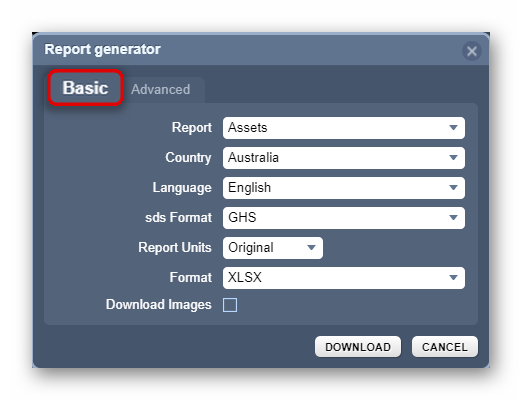
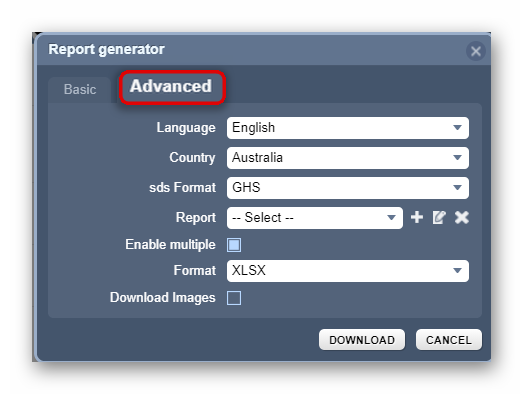
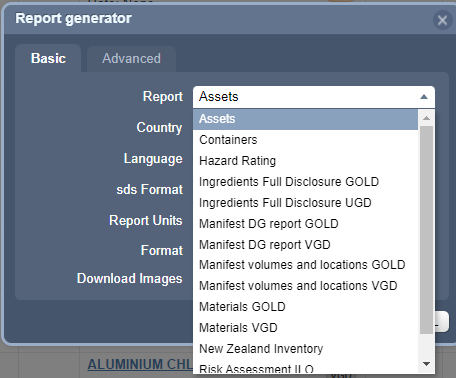
The following basic report templates are available by default in the Basic tab:
- Assets
- Containers
- Hazard Rating
- Ingredients Full Disclosure UDG (User Gold Data)
- Manifest DG Report VGD (Vendor Gold Data)
- Manifest Volumes and Locations Gold
- Manifest Volumes and Locations VGD
- Materials VGD
- New Zealand Inventory
- Risk Assessment ILO (Health)
- Risk Assessment UN (Storage)
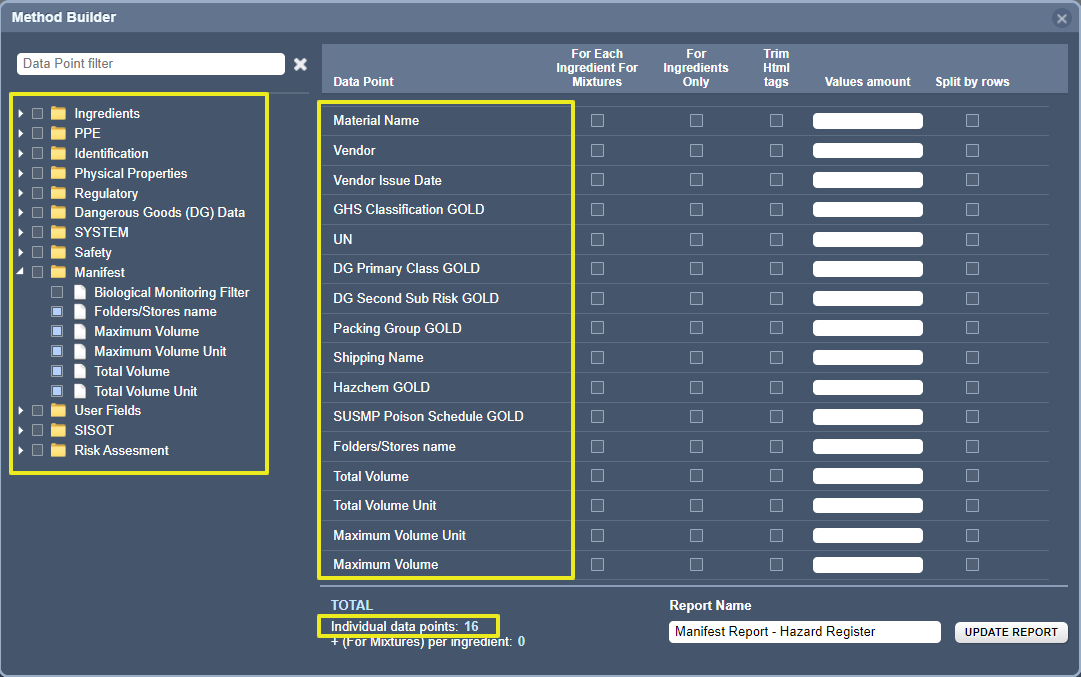
The advanced mode uses the method builder to add specific data points to export information/data in a spreadsheet format. The folder directories house the data points to select depending on the required data. Below is an example of a Manifest-related Method Builder datapoints.
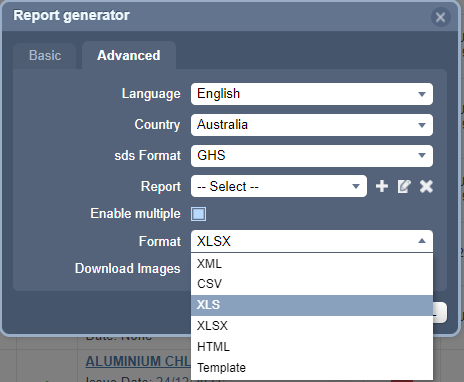
The data can be exported using any of the available various formats:
Format
| Provides a drop-down list of available report formats:
| A report format must be selected to export data.
|


Was this article helpful?
That’s Great!
Thank you for your feedback
Sorry! We couldn't be helpful
Thank you for your feedback
Feedback sent
We appreciate your effort and will try to fix the article