Generally, there are two options to generate Manifest-related reports for materials located in folders/stores using the Report Generator tool.
1. Basic Template(s) - accessible through the Basic tab
A worked example is provided below.
2. Advanced Template(s) - accessible through the Advanced tab
A worked example is provided below.
The Report Generator tool provides the ability to extract data based on specific datapoints located in method builder directories. Any report can be generated through various formats listed in the description table below.
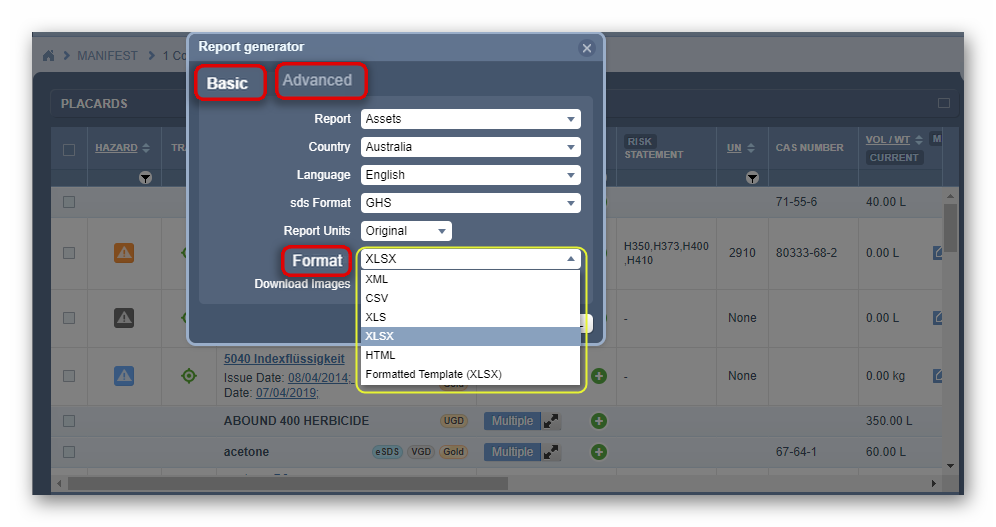
The table below provides the descriptions of the available various formats to choose from when generating a report..
Table: File Formats and Descriptions
File Format | File Extension | Description | Graphic |
Microsoft excel (XLS) | .xls | XLS file is a spreadsheet format in MS windows and Mac OS which features calculation tools and graphical tools, pivot tables and is used as an industry standard for spreadsheets. |
|
Comma-separated values (CSV) | .csv | CSV file consists of any number of records separated by line breaks; each record consists of fields separated by some other character or string, most commonly a literal comma or tab. |
|
HyperText Markup Language (HTML) | .html | HTML file is a web page format file that can be displayed in a web browser. HTML allows data text, images and objects to be embedded and supports various languages. Supports common browsers, Google Chrome, Firefox and Microsoft Edge.
|
|
Extensible Markup Language (XML) | .xml | XML file can be used through the internet. It utilises textual data format via Unicode for global languages. XML-based formats have become the default for many office-productivity tools. |
|
Microsoft Excel (XLSX) | .xlsx | File format for documents used by Microsoft Excel. |
|




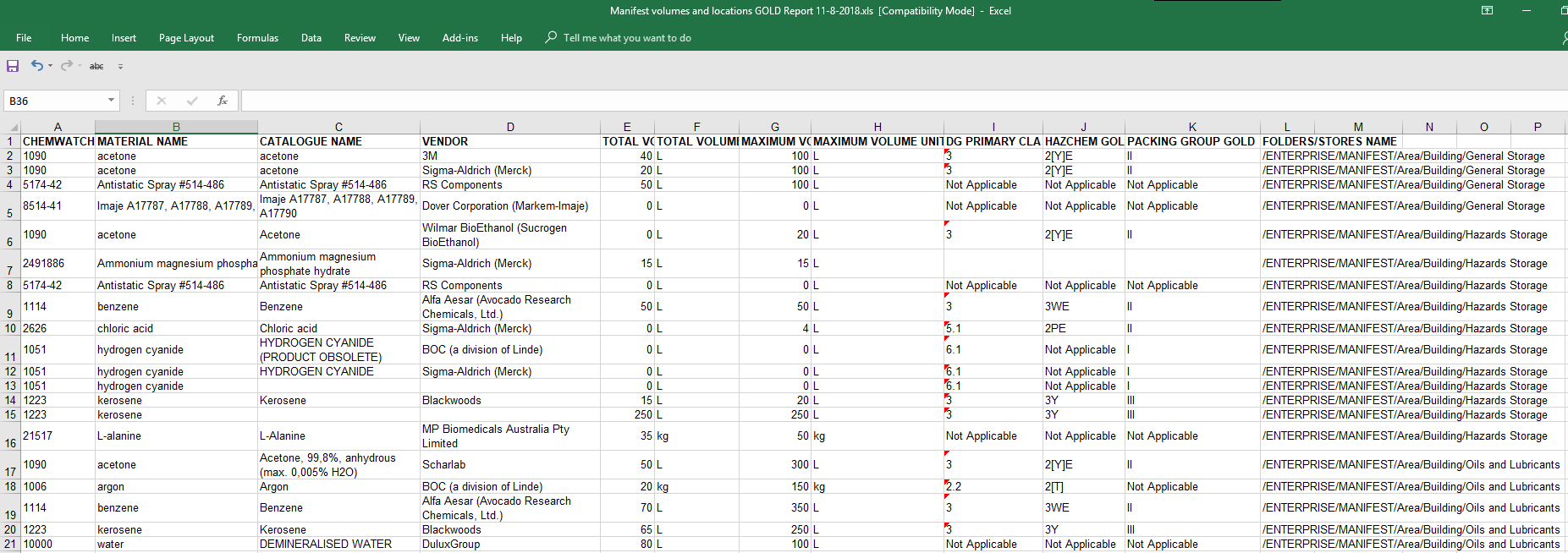
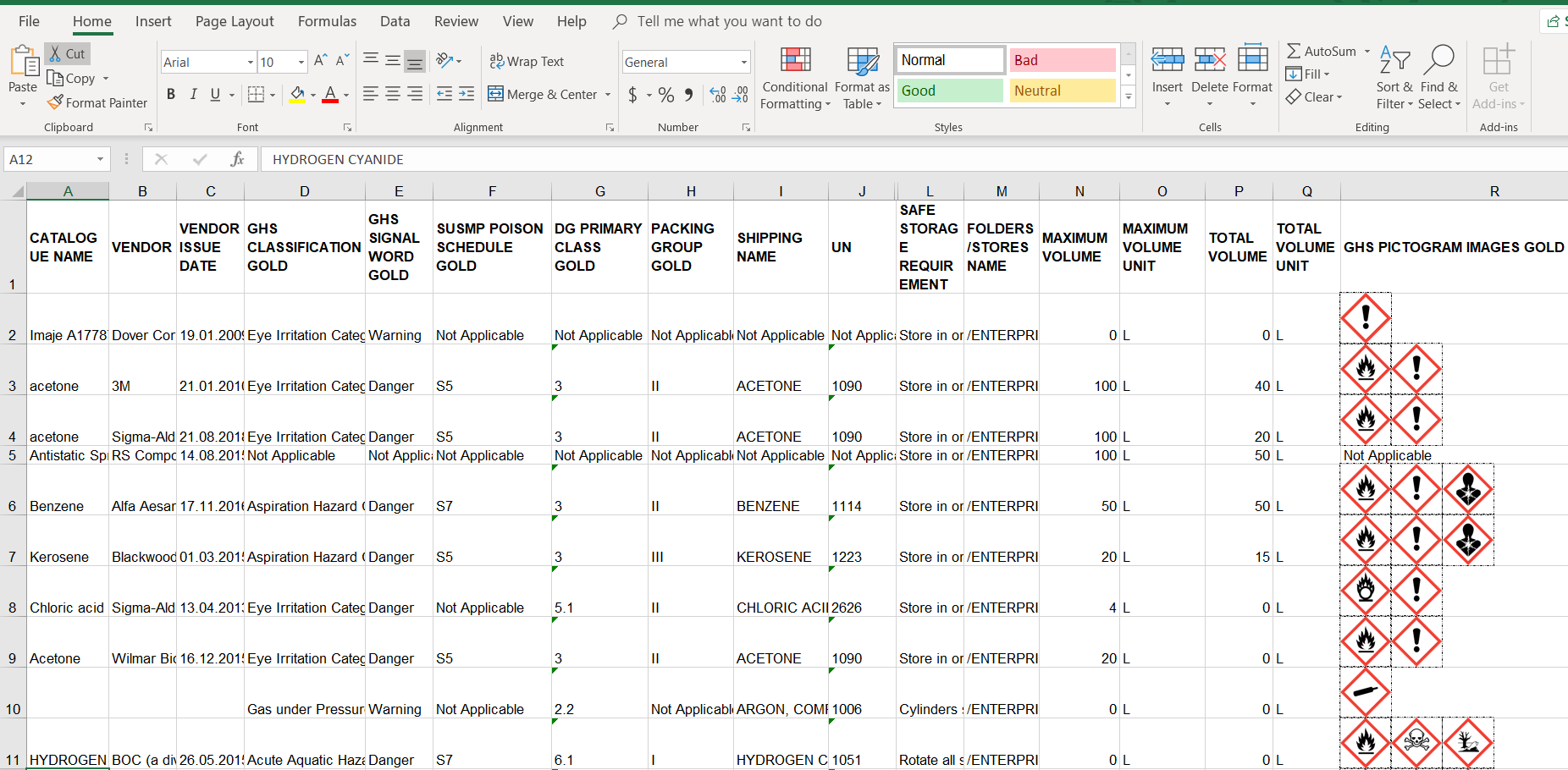
Manifest Report with GHS Pictograms
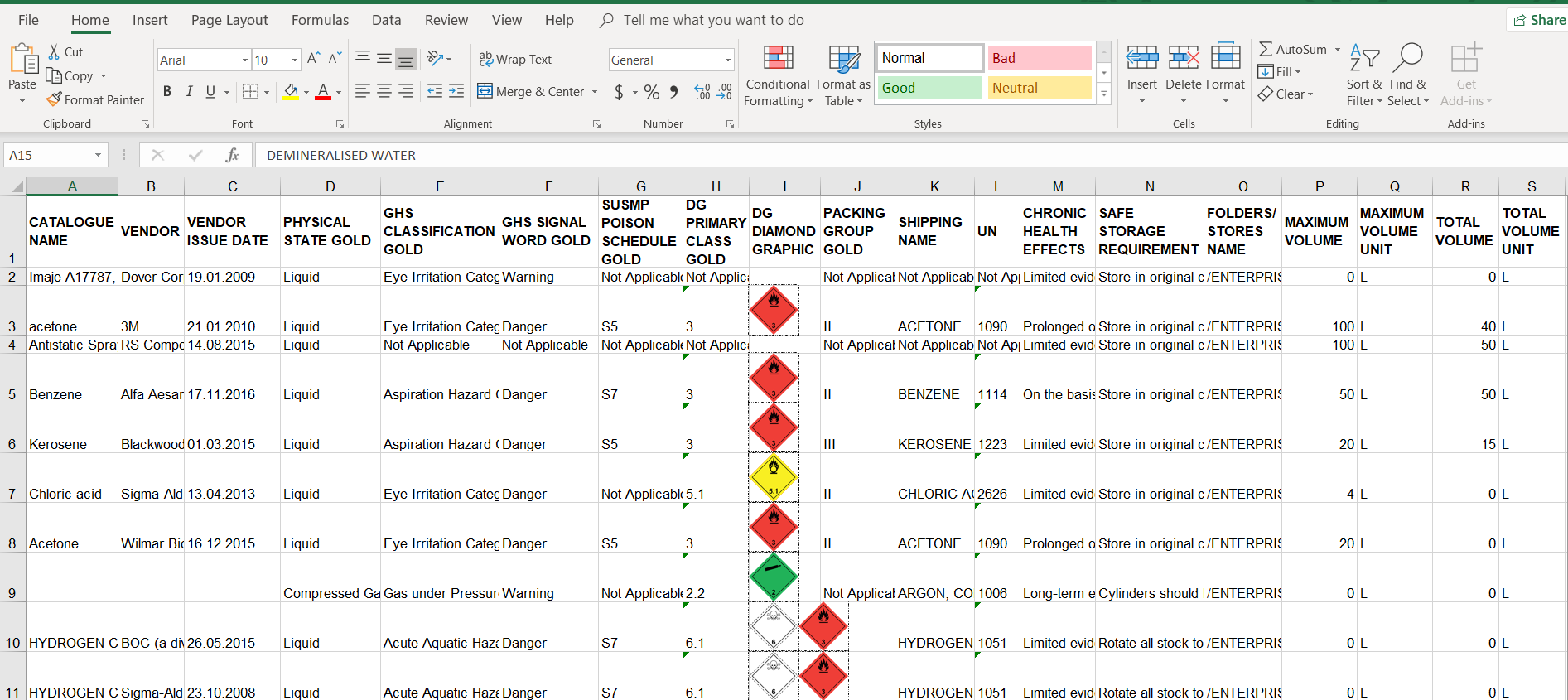
Manifest Report with DG Diamonds
Was this article helpful?
That’s Great!
Thank you for your feedback
Sorry! We couldn't be helpful
Thank you for your feedback
Feedback sent
We appreciate your effort and will try to fix the article