The following steps show how to copy a single risk assessment into the same folder.
Steps to Copy a Risk Assessment into a Folder
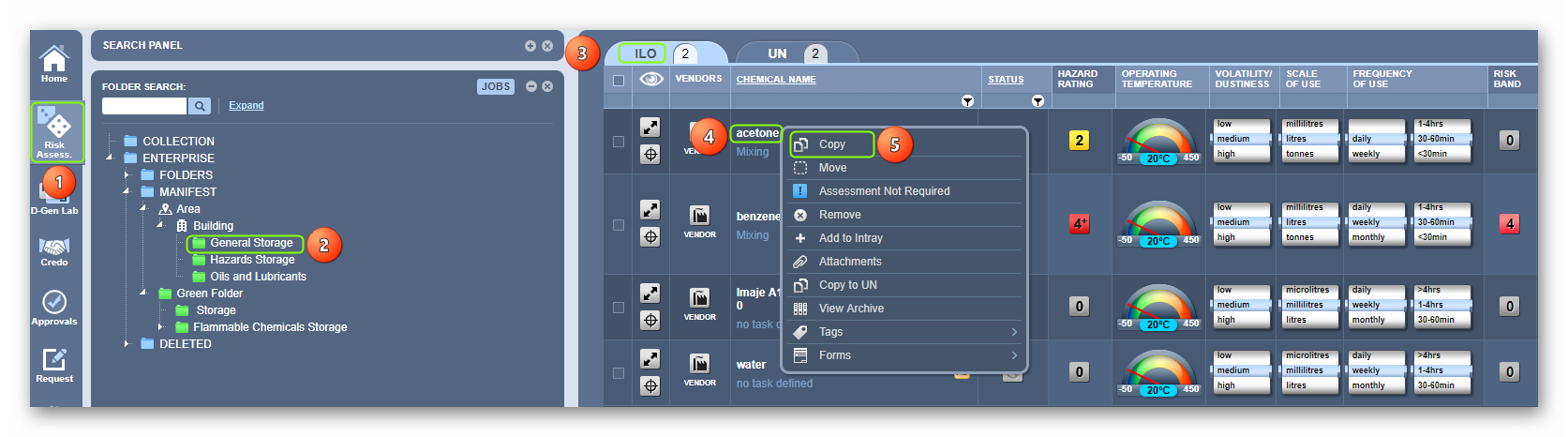
1. Select the RA module button  .
.
2. Select the Folder name  that contains material that is already assessed.
3. Press the ILO/UN tab, in this case, the ILO  is selected by default
4. Use the Right-click functionality on the risk assessed chemical name
(Showing status complete  ) from the grid.
5. Select the Copy option  .
.
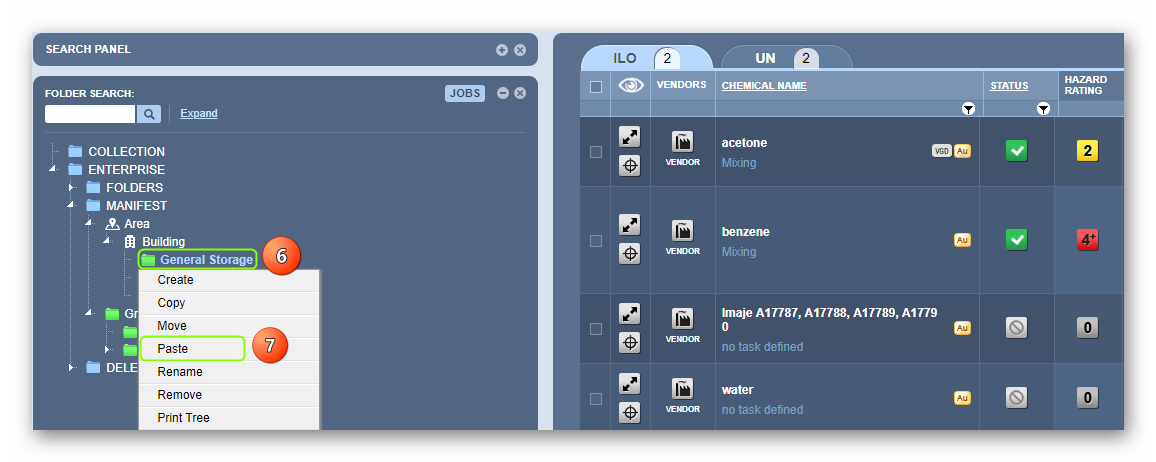
6. Right-click on the destination folder, in this case, the same folder will be used.
7. Select the Paste option.
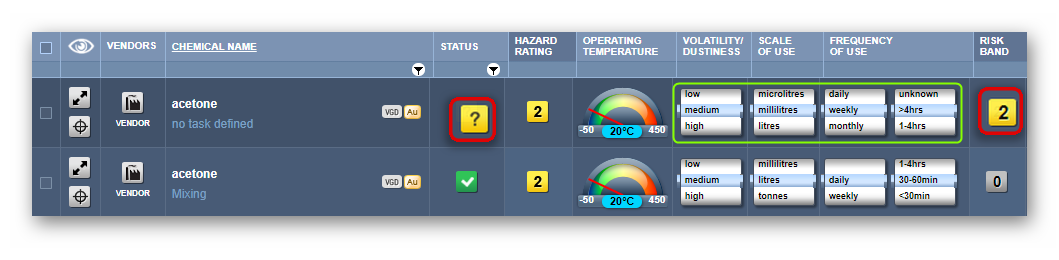
8. Press the Destination folder in which the chemical was copied into the same folder to view the chemical’s risk assessment parameters.
Was this article helpful?
That’s Great!
Thank you for your feedback
Sorry! We couldn't be helpful
Thank you for your feedback
Feedback sent
We appreciate your effort and will try to fix the article