The search criterion generally applies to the look-up for a particular concentration of a product or chemical by searching using concentration molar value alongside the chemical or vendor name. Concentration is defined by the formula below.
C= n ÷ V | |
| where | c = concentration of solution in mol L-1 (mol/L or M), n = moles of the substance being dissolved (moles of solute), V = volume of solution in litres (L) |
Searching for specific molar concentrations may not yield results for all concentrations due to the non-availability of all types of concentrations of materials, chemicals, products, compounds, etc. In this case, Chemwatch recommends that if a concentration is greater than the one you are searching for, please use the higher molar concentration if available to obtain Gold SDS, Labels, and Emergency reports.
In the Name/CAS free text field within the search panel, users can type the concentration value followed by the letter "M" for molar concentration and then type the chemical name before starting the search. The autocomplete panel will show available chemical concentrations after typing the name of the material.
Some Common Steps to Search by a Specific Concentration
1. Click the "Home" module button
2. Select the "Gold SDS" button from the SDS and Labels panel
3. Click on the "Full" button (radio button) from the search panel
Note that you may search from the "Own" option to search from your inventory within the database.
4. Click the Name text field and type the concentration value including the "M" (for molar concentration), for example; 0.1 M
5. Use the Up/Down Arrows to scroll down or roll the mouse within the autocomplete panel to look for the suggested chemical names associated with the molar concentration.
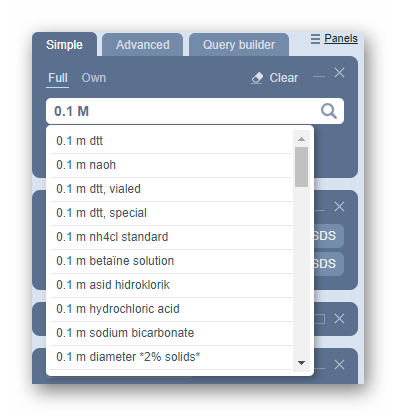
The autocomplete search results in a list of corresponding materials.
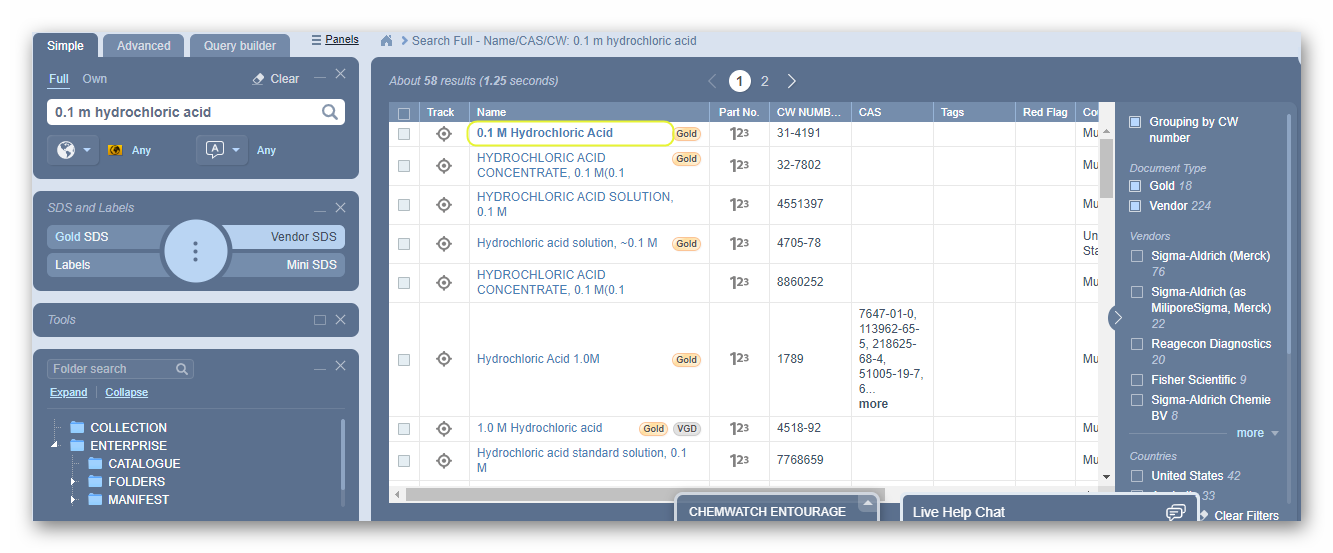
6. For A more specific search, type the full material name and concentration, e.g., 0.1M HCL. The autocomplete panel drop-down list will show the available match(es).
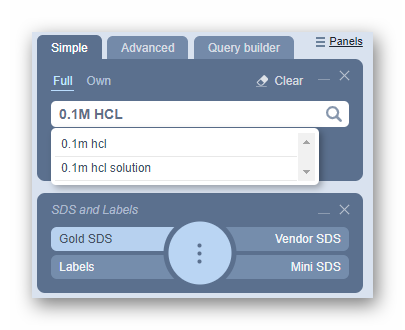
7. Select the material from the autocomplete search wheel results to display records
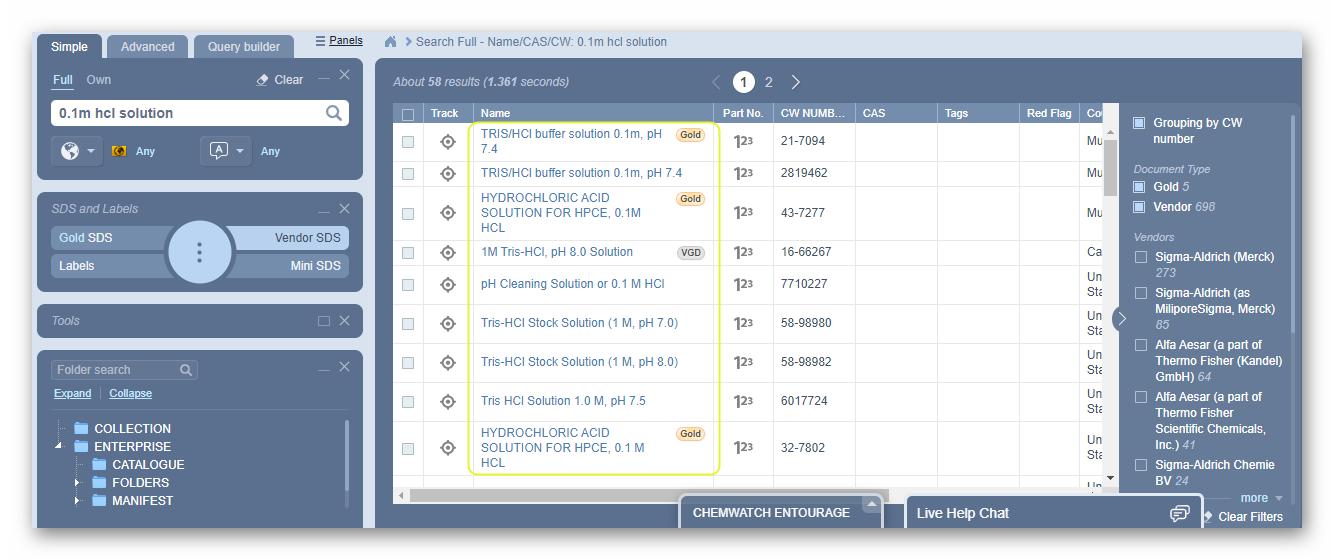
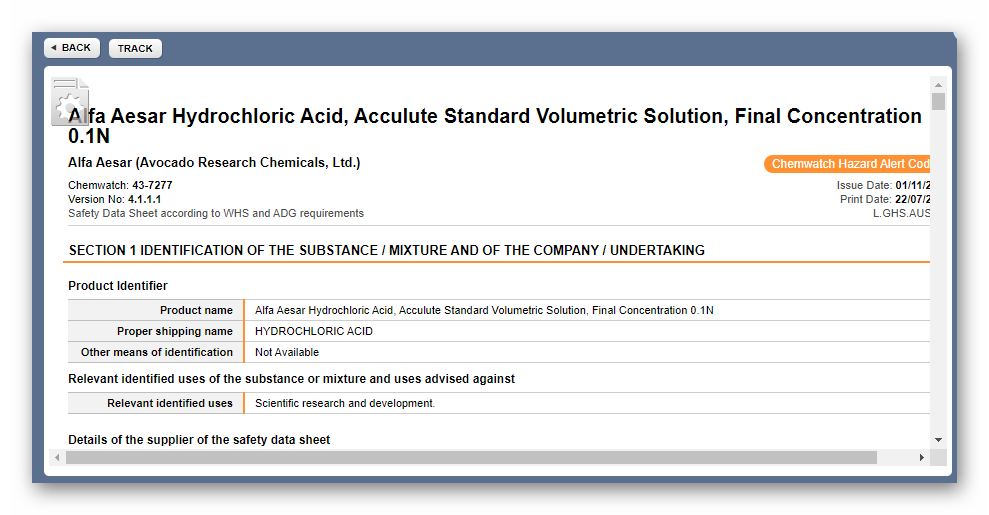
8. Click the name of the material that matches the molar concentration to display the Gold SDS from the documents listing
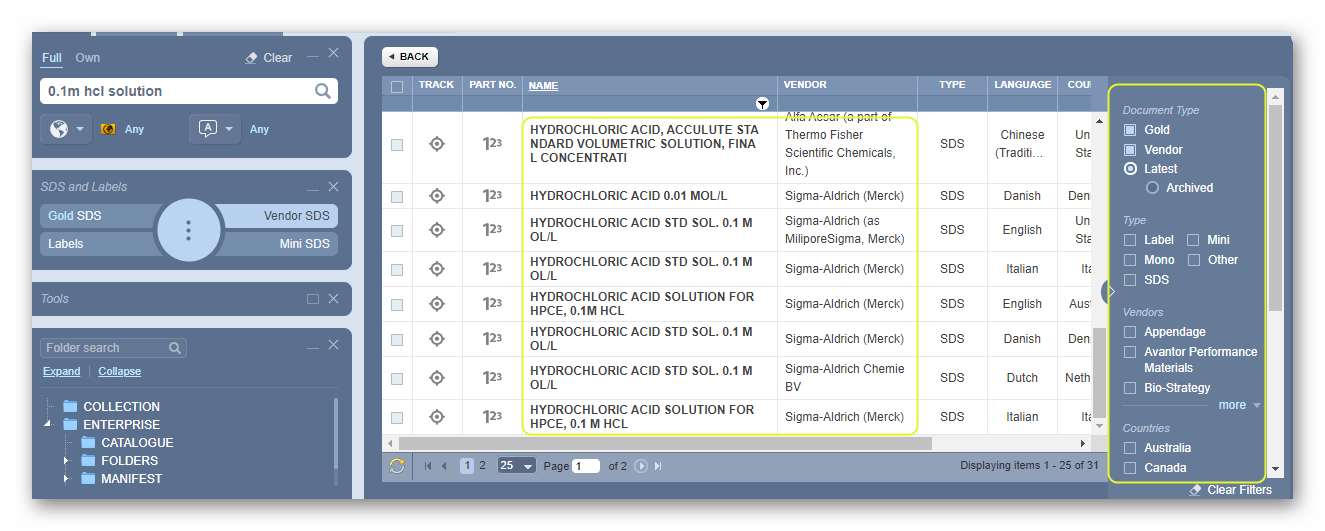
9. If the interest is for a specific corresponding Vendor SDS, select the Vendor SDS button and click on the document name from the list of available document(s) from various suppliers/manufacturers/issue date.
If a concentration is not found in the system, consult us through the live chat or you may create a mixture using the Credo module by using known and available ingredients within the Chemwatch database. If unsure, contact us directly to talk to one of our helpdesk support team or send us an email to helpdesk@chemwatch.net.
Was this article helpful?
That’s Great!
Thank you for your feedback
Sorry! We couldn't be helpful
Thank you for your feedback
Feedback sent
We appreciate your effort and will try to fix the article