A Mini SDS is a one-page summary report, generally useful in emergency response situations, where it provides material classification and graphics information; Ingredient(s) composition, OELs, GHS hazard classification, primary health hazard, precautions for use (PPEs), physical properties, emergency graphics, first aid and safe storage with other classified chemicals.
The steps below illustrate how to use the simple search autocomplete method to search for material from the full Chemwatch database collection and display a Mini SDS.
Steps to Search for a Material and Display a Mini SDS
- Press the Home module
 .
. - Click the Full option in the Search panel to set the database path to the Full collection to look up the Vendor SDS from the Chemwatch full database.
- Press the Mini SDS button from the SDS panel to set the type of document.
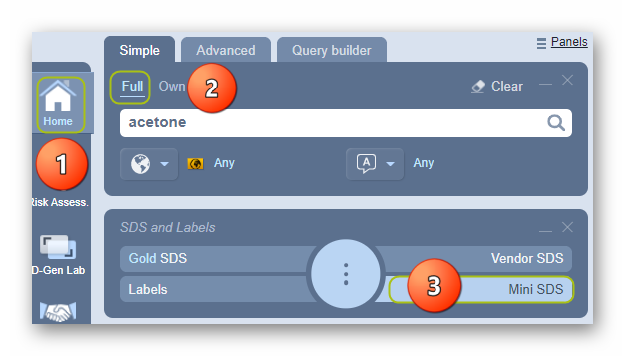
4. Type the material or chemical name in the Name/CAS free text field.
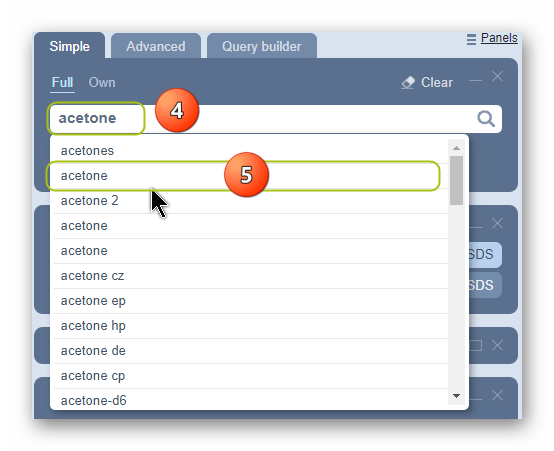
5. Select the material or chemical name from the autocomplete search list. In this case, ‘Acetone’ is used to demonstrate the steps.
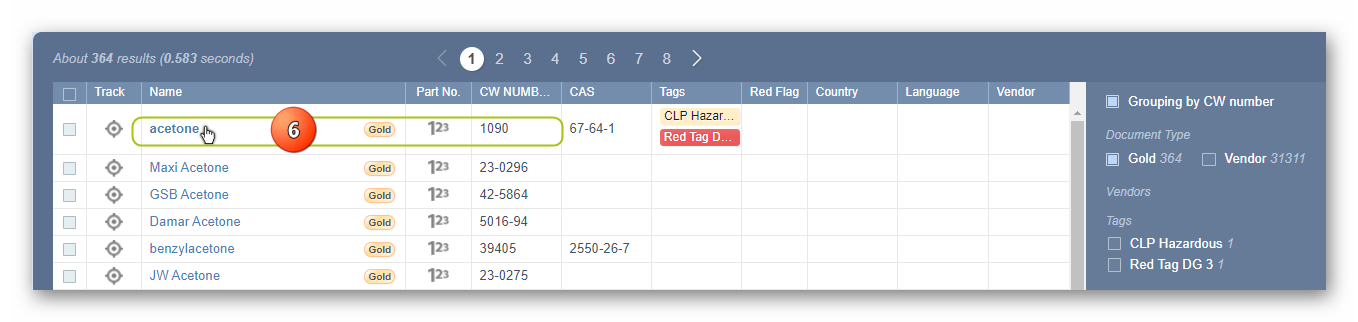
6. Select the Material Name by a specific CW Number to display a Gold SDS.
 button will be displayed on the material’s search results table as shown below with a tag description “Chemwatch classification’s availability”.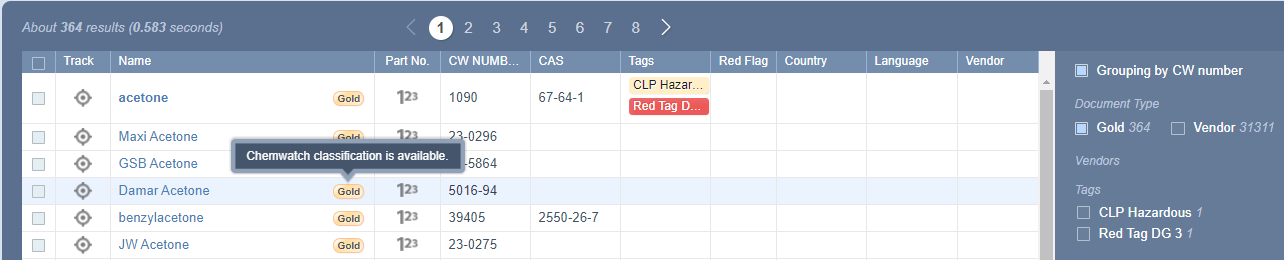
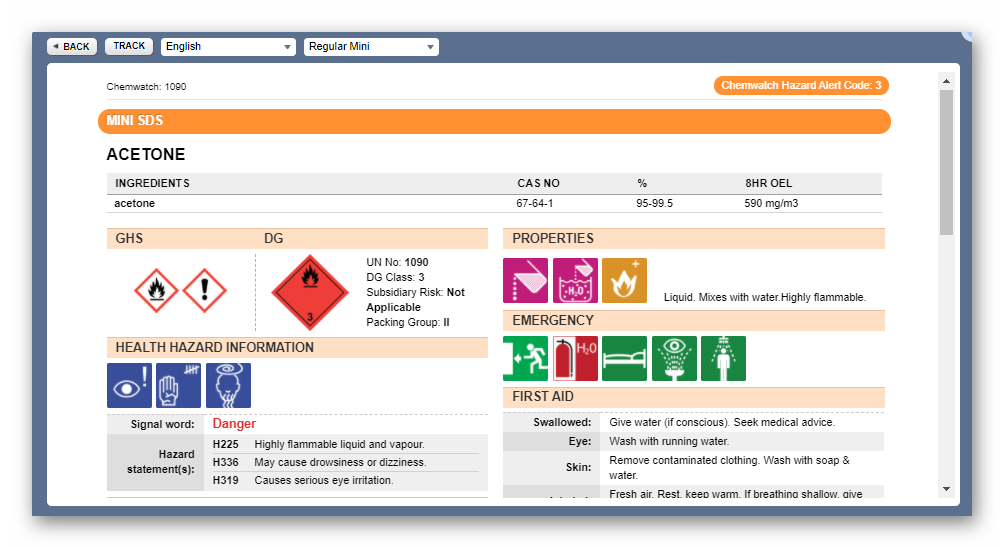
7. The Mini SDS document will be displayed on the screen.
The Mini SDS country, language and format is based on the respective SDS Settings applied by default as per the system’s Gold SDS profile. The example of the Mini SDS below is set to Country = Australia, Language = English and SDS Format = GHS and defaults to the Regular Mini format. These settings are applied based on the business jurisdictional operations to ensure that the data meets compliance requirements for that country of operation.
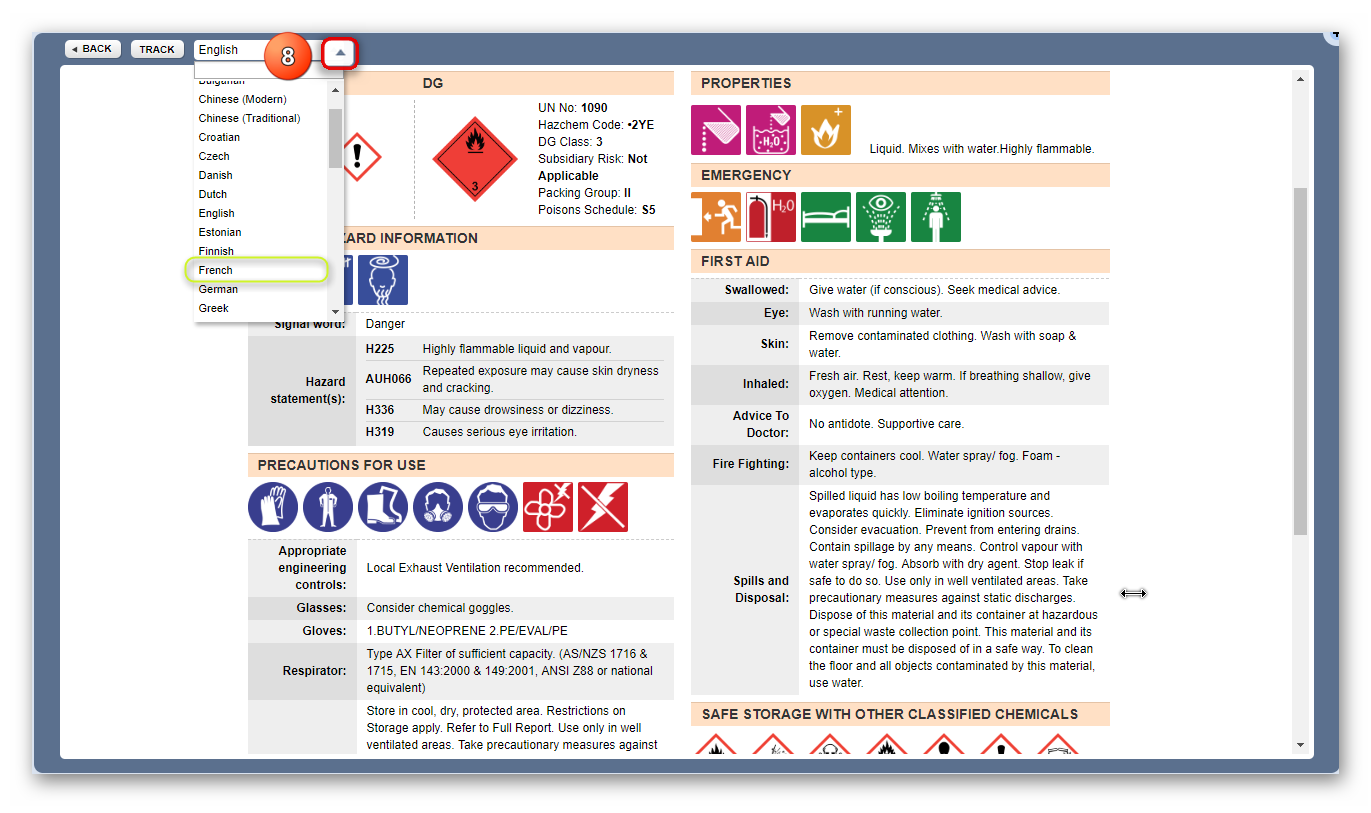
8. Select the language drop-down arrow and set the Language to render the Mini SDS content in another language, e.g., French.
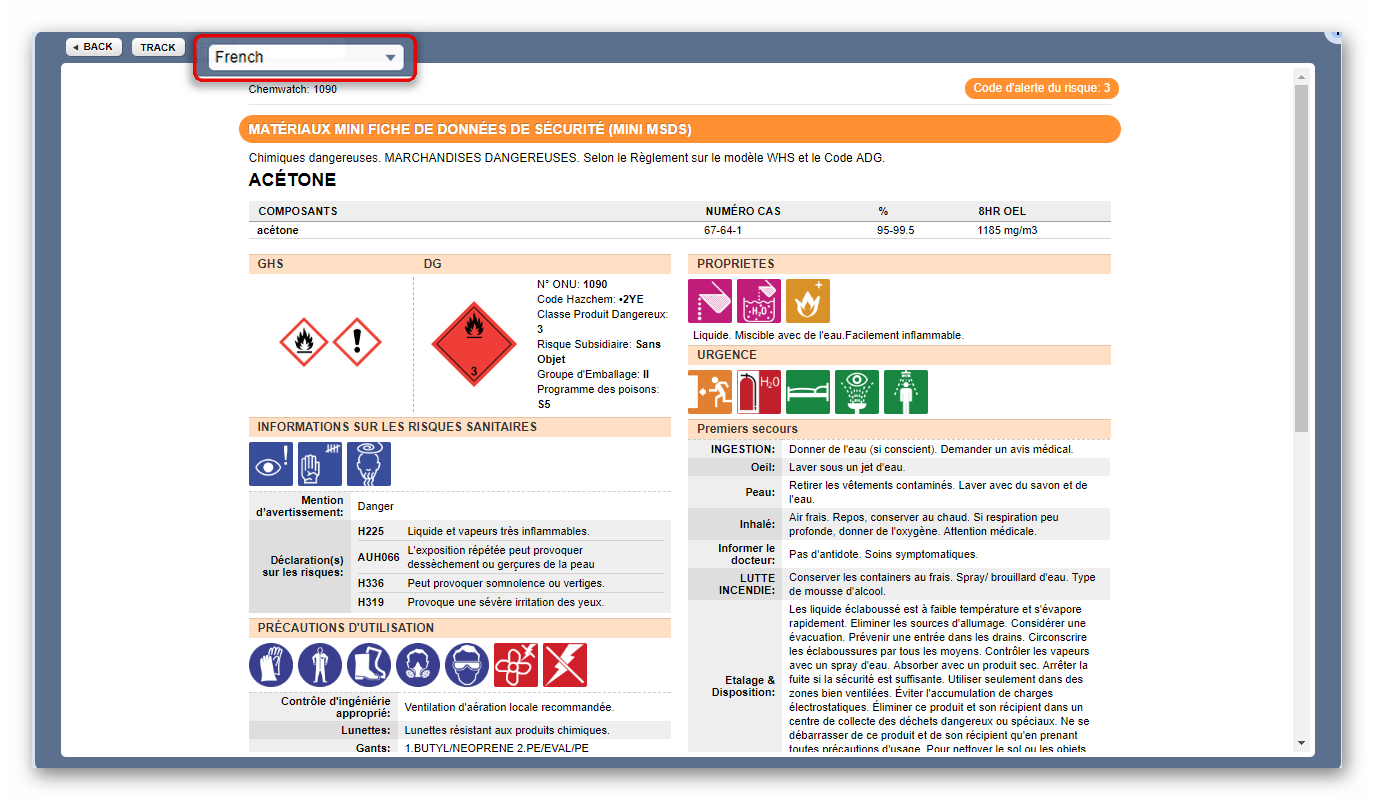
A French Mini SDS is displayed below.
All Mini SDS are colour-coded by the Chemwatch hazard rating criteria; Flammability, Toxicity, Body Contact, Reactivity and Chronic, concluded as Minimum, Low, Moderate, High, or Extreme.
| Minimum/Non-hazardous
|
| Low
|
| Moderate
|
| High
|
| Extreme
|


Was this article helpful?
That’s Great!
Thank you for your feedback
Sorry! We couldn't be helpful
Thank you for your feedback
Feedback sent
We appreciate your effort and will try to fix the article