A Gold SDS is an independently authored safety data sheet for Chemwatch that contains the latest regulatory compliance classifications. The following illustration demonstrates how to use the simple search autocomplete method, to search for a material from the full Chemwatch database collection to display a Gold SDS.
Steps to Search for a Material and Display a Gold SDS
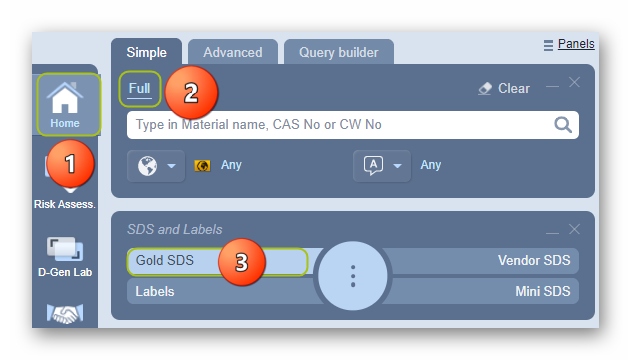
- Click the Home module
 .
. - Select the Simple search tab.
- Press the Gold SDS button from the SDS panel to set the type of document.
- Click the ‘Full’ option in the Search panel to set the database path to the Full collection to look up the Vendor SDS from the Chemwatch full database.
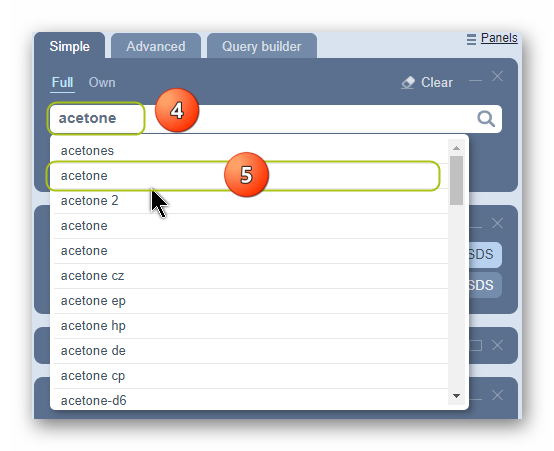
5. Type the material or chemical name in the Name/CAS free text field.
6. Select the material or chemical name from the autocomplete search list. In this case, ‘Acetone’ is used to demonstrate the steps.
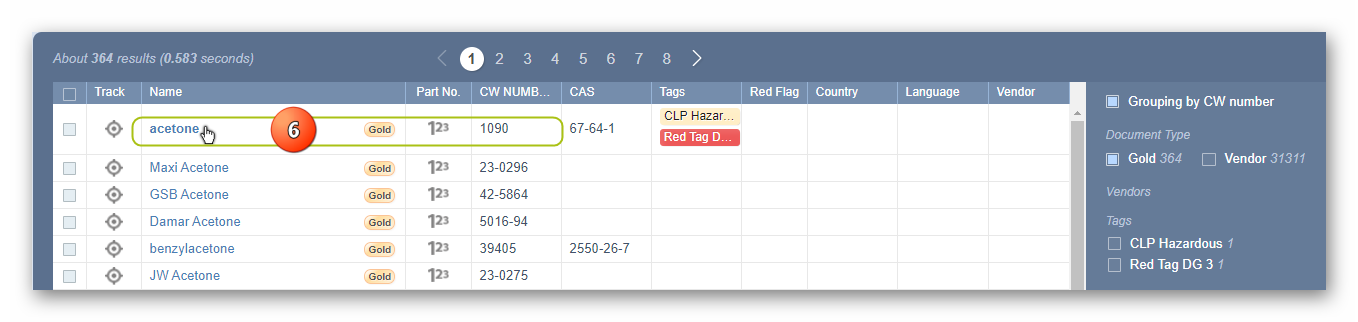
7. Select the Material Name by a CW number to display the Gold SDS.
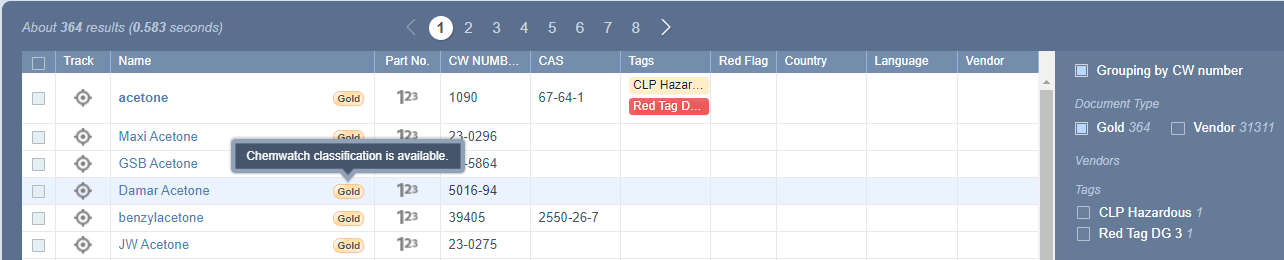
The Gold SDS depends on whether Chemwatch has authored the Gold SDS) and if available, the  button will be displayed on the material’s search results table as shown below with a tag description for “Chemwatch classification availability”.
8. The Gold SDS document will be rendered (displayed or loaded) on the screen. Wait until the rendering of the Gold SDS html document is completed.
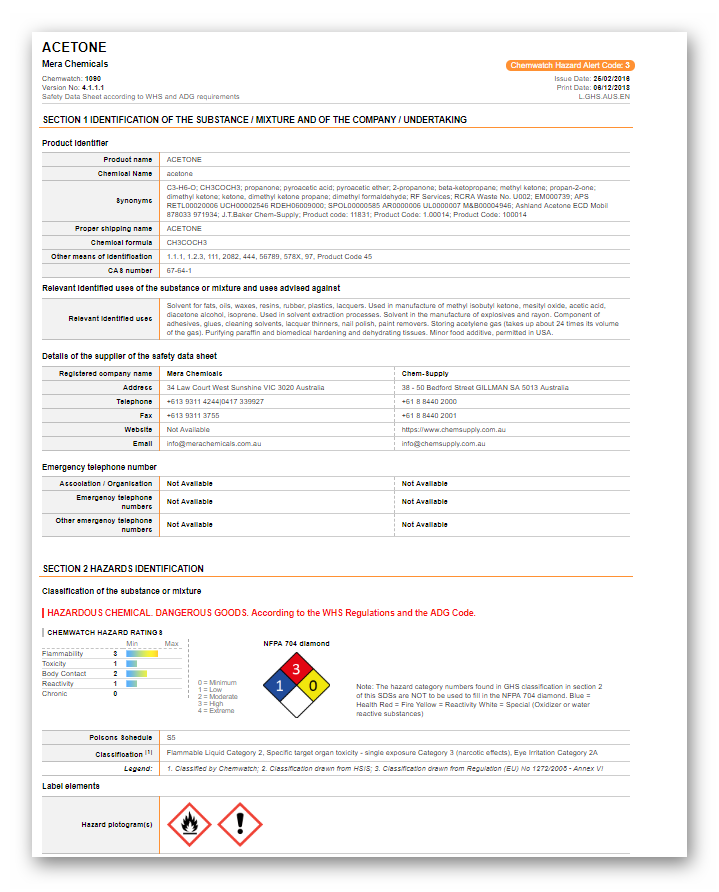
The Gold SDS country, language and format are based on the respective SDS Settings applied by default per the system’s profile. The example of the Gold SDS below is set to Country = Australia, Language = English and SDS Format = GHS. These settings are applied based on the business jurisdictional operations to ensure that the data meets compliance requirements for that country of operation. A Gold SDS can also be customized in a few sections; some customisations include your Company Logo, First Aid Contact Information (e.g., Section 4), Preferred Name of the product, and Vendor Details.
All regulated formats support GHS, REACH, Chinese, Japanese, Korean, NZ, etc., in more than 50 languages. All Gold SDS are colour-coded under the Chemwatch hazard rating criteria; Flammability, Toxicity, Body Contact, Reactivity and Chronic, concluded as Minimum, Low, Moderate, High, or Extreme.
| Minimum/Non-hazardous
|
| Low
|
| Moderate
|
| High
|
| Extreme
|


Was this article helpful?
That’s Great!
Thank you for your feedback
Sorry! We couldn't be helpful
Thank you for your feedback
Feedback sent
We appreciate your effort and will try to fix the article