Steps: Editing a Preferred Name
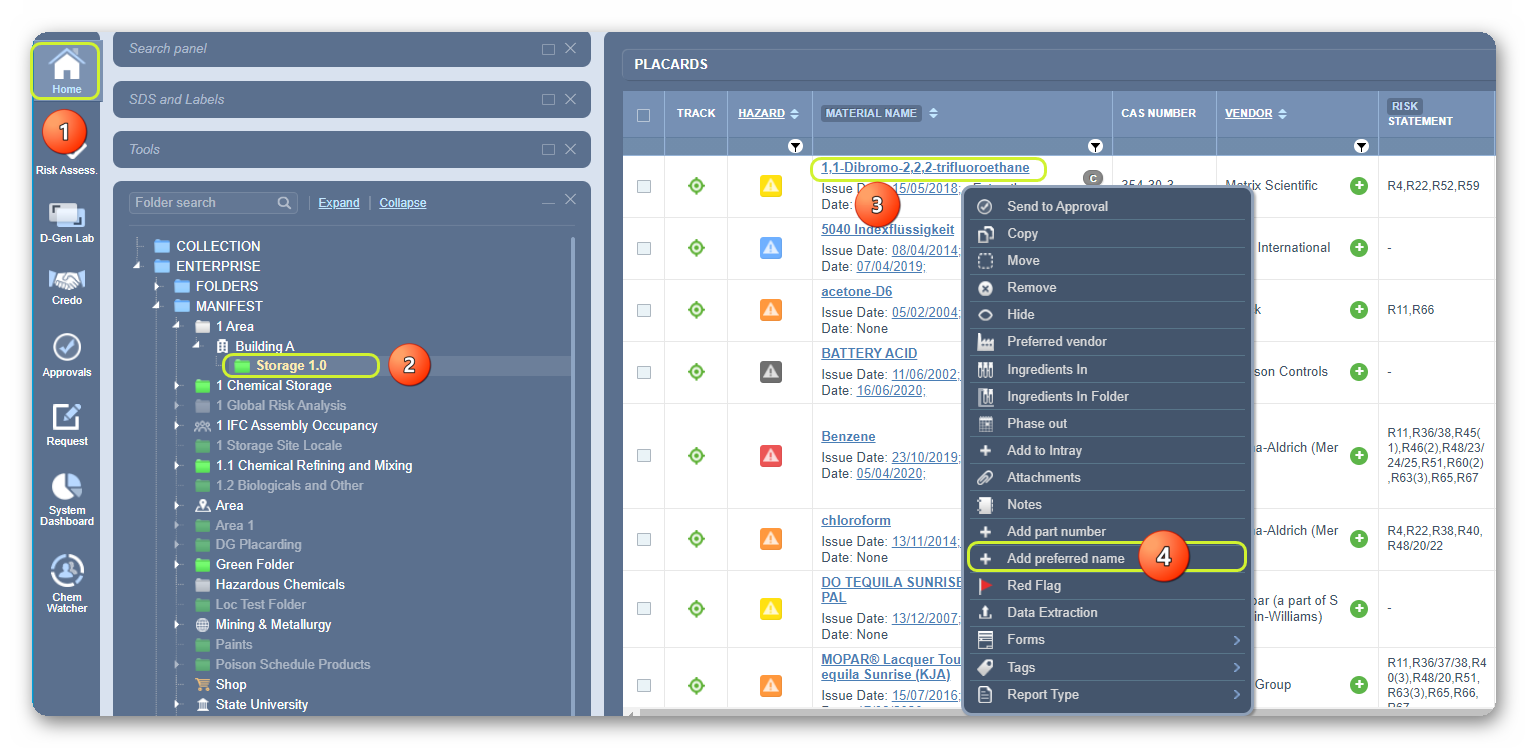
- Select the Home module button
 .
. - Select the Folder
 name that contains materials.
 - Right-click on a material that has a preferred name.
- Select Add Preferred Name from the menu.
5. Click the action Edit.

6. Type a new preferred name in the text field.
7. Click the Save button.
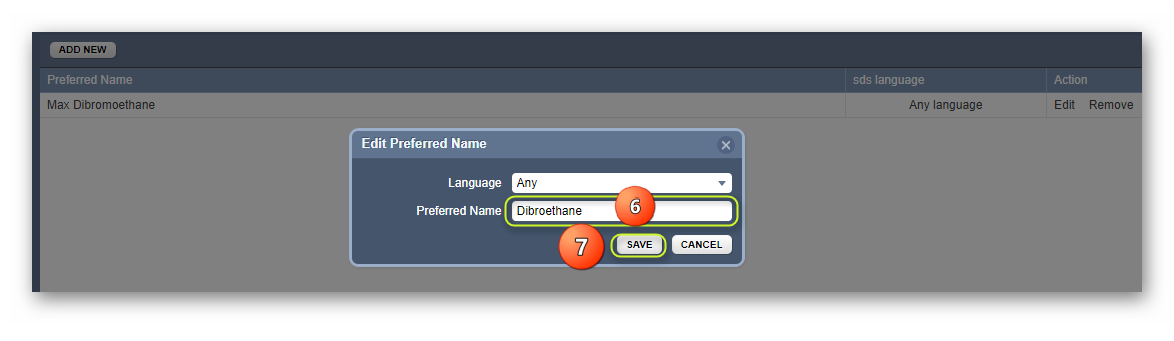
The updated preferred name gets confirmed through a message on the screen.
Was this article helpful?
That’s Great!
Thank you for your feedback
Sorry! We couldn't be helpful
Thank you for your feedback
Feedback sent
We appreciate your effort and will try to fix the article