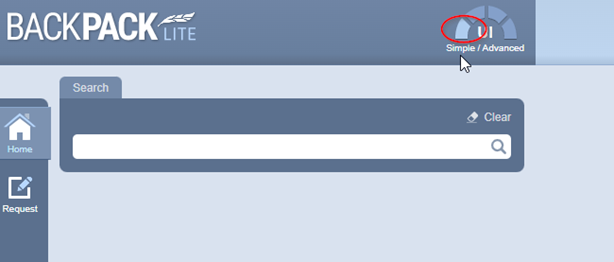
The Simplified Grid is a new intuitive user interface accessible on level 1 of the (basic) feature meter. It is also known as the Lite grid.
The simplified grid contains two main header columns; Documents and Alerts.

The Documents header is subdivided into four columns. Documents are accessible via respective icons for:
- Vendor SDS
- Gold SDS
- Mini SDS
- Label
The Alerts header is subdivided into four columns Alerts are accessible via respective icons for:
- Risk Assessment
- Hazard
- DG
- Regulatory Burden
Documents
The Documents main header displays icons for each subdivided column for users to click on each type of document they want to retrieve a report for any product in a folder.
Cat Name | Vendor SDS | Gold | Mini | Label |
Product Name | |
|
|
|
Manufacturer/ Supplier Safety Data Sheet for the product | Chemwatch Safety Data Sheet for the product | Chemwatch Hazard Summary Safety Data Sheet for the product | Chemwatch product label |


Alerts
The Alerts main header displays colour-coded icons for each subdivided column depicting the specific ratings of any product in your folder inventory based on Risk Assessment, Hazard, DG, and Regulatory Burden. Data points include inventory activity and usage, storage, manufacture, and geo-location.
Cat Name | Risk Assessment | Hazard | DG | Regulatory Burden |
Product Name |
|
|
|
|
Default Risk Assessment Rating and access to Risk Assessment Report for the product. | Chemwatch Hazard Rating based on GHS for the product. | Dangerous Goods (DG) Classification rating based on Packing Group for the product. | Lightly, Moderately, Highly & Extremely Regulated products. |


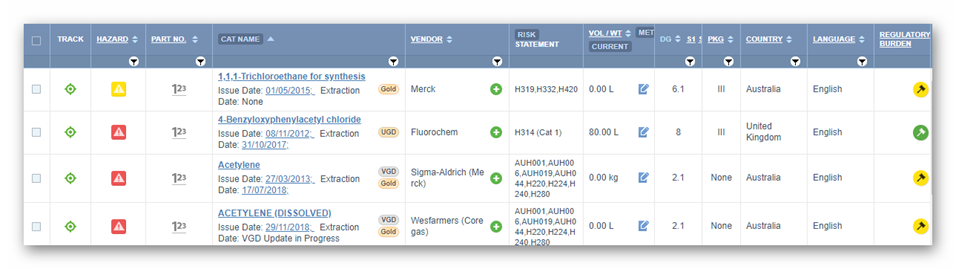
The Advanced Grid is the normal user interface accessible on the level 2 feature meter and upward. It contains all the columns to view respective materials-related data for advanced users to get more information at a glance at the inventory of a selected folder.
Was this article helpful?
That’s Great!
Thank you for your feedback
Sorry! We couldn't be helpful
Thank you for your feedback
Feedback sent
We appreciate your effort and will try to fix the article