Steps to Edit the Volume/Weight of a Product in Cat Name View
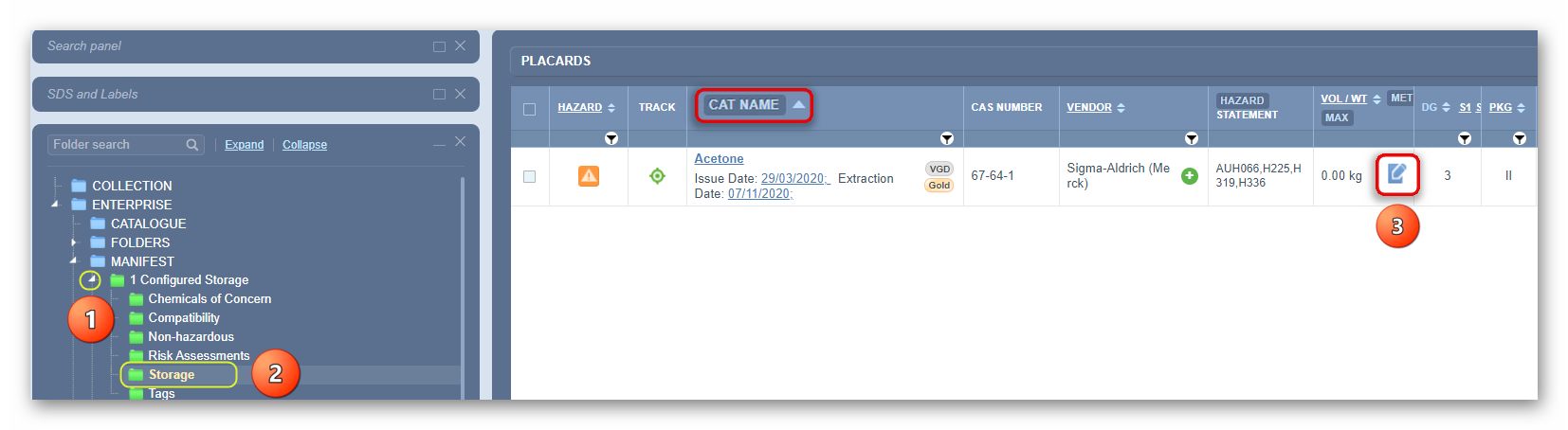
In the Home module button  , select the Simple search tab (if it is not already the default mode)
- Expand
 manifest directory nodes to view the folder location, e.g., level 3 node
 - Press the Folder name. Take note that the manifest list grid defaults to Cat Name. The default view mode is Cat Name.
- Click the Edit button
 to open the edit panel. This panel contains 3 editable fields: Current, Maximum and Licensed volume or weight.
4. Select the Current Volume/Weight text field and enter the desired amount.

5. Note that this product is a liquid. Refer to default data within this panel.

6. Select the drop-down arrow to change the unit of measure from kg to L.
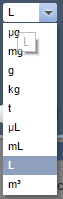
7. Select the drop-down arrow to change the unit of measure from kg to L.
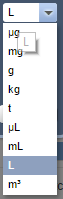
8. Select the Licensed Volume/Weight text field and enter the desired amount (optional).

9. Press the Save button
A confirmation message will display to confirm successful task. If a user does not have read-write access to a folder, a message will display to seek further help from the administrator.

10. The Volume/Weight for this material is displayed on the grid based on the default VOL/WT set to “Current”, which means that the grid will display its current Volume/Weight. In this worked example, the Cat name is “Acetone” showing the 50.00L as per the product’s assigned Volume of 50.00L for the current value.

 from the Vol/Wt column header to view options.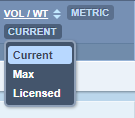
12.. Select the “Maximum” option 
As soon as the Max button option is selected, the Current view changes to the Maximum value alongside the product line item and in this case, it shows the Maximum value = 300L.

When Adding Volume/Weight for a solid, the edit panel will default the material’s physical state to “Solid” and the respective units will default to kg (kilograms).
Was this article helpful?
That’s Great!
Thank you for your feedback
Sorry! We couldn't be helpful
Thank you for your feedback
Feedback sent
We appreciate your effort and will try to fix the article